The Ciphersound team has been busy behind the scenes. Together with some select beta customers we built and released several new features, as well as a revamped UI that is clearer and loads faster. The new features are: macOS support, change management to catch regressions, reporting in beta, and scan recipes. Create a free account and try it now, or read on for more details.
Ciphersound CLI is now available on macOS
The scanner now ships as a signed, notarized installer for macOS 11 and later. One universal .pkg covers Apple silicon and Intel. No Gatekeeper warning and no architecture to pick.
- Open Software in the app and download the macOS build.
- Double-click the .pkg. It installs
ciphersoundto/usr/local/bin. - Scan and upload:
ciphersound scan targets.txt --output scan.ndjson
ciphersound upload scan.ndjson
Results appear under Scans once ingested. Linux and Windows builds sit on the same page.
Change management to catch regressions
All scan results and endpoint checks are now analysed every 24 hours. Actionable changes and differences are flagged, including the causes. This is useful to catch regressions in configuration and certificate expiry warnings, as well as improvements happening in your infrastructure.
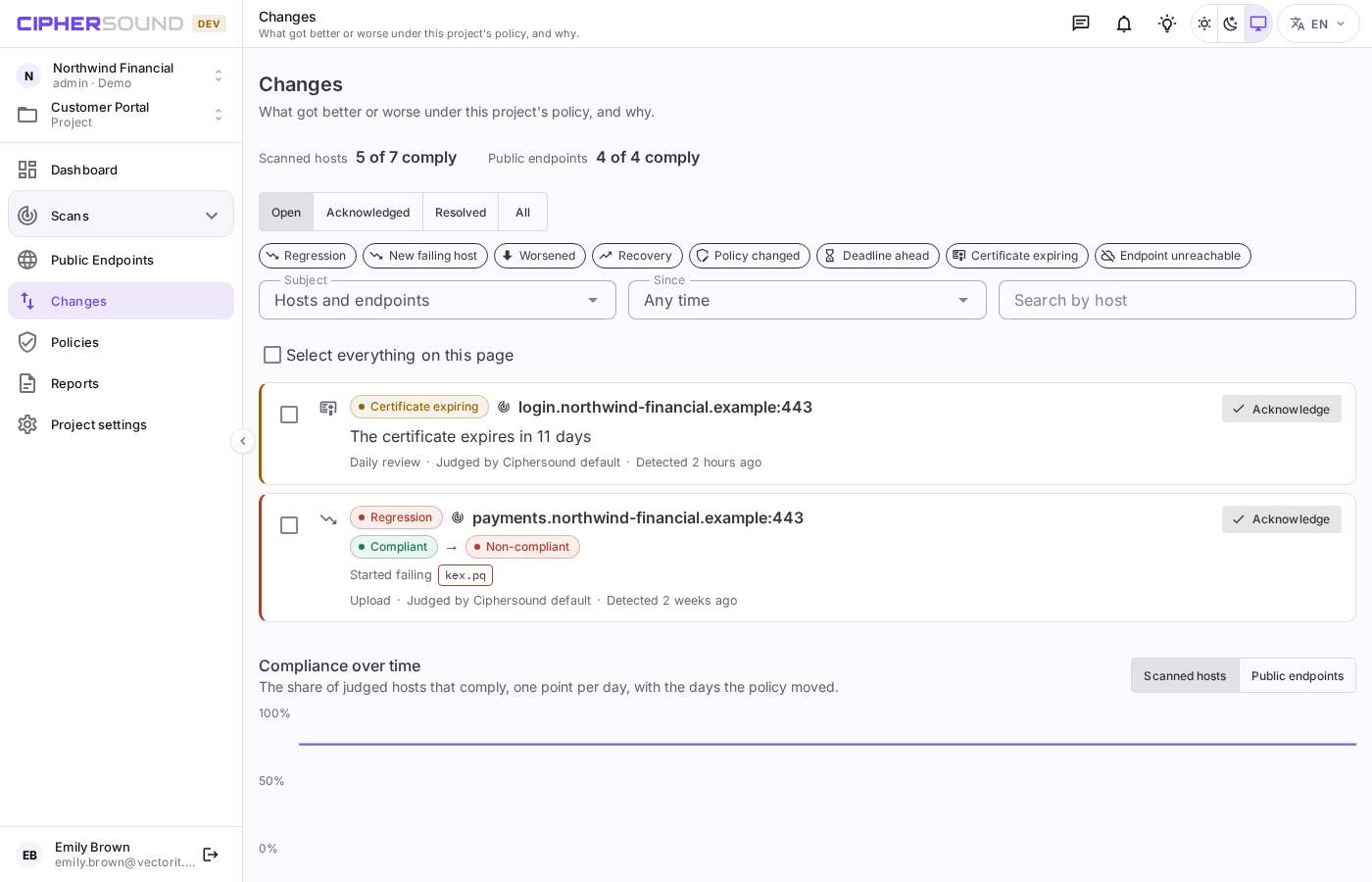
A user can also set up a project to get daily digests sent by email. This comes with the Enterprise plan, so contact us via the Feedback system in Ciphersound to request access.
Reports in beta
A report is for those readers who are not in the app. Think of external auditors, a customer or a CISO. It is a PDF report that stands on its own and is stamped with the selected policy used for evaluating the results.
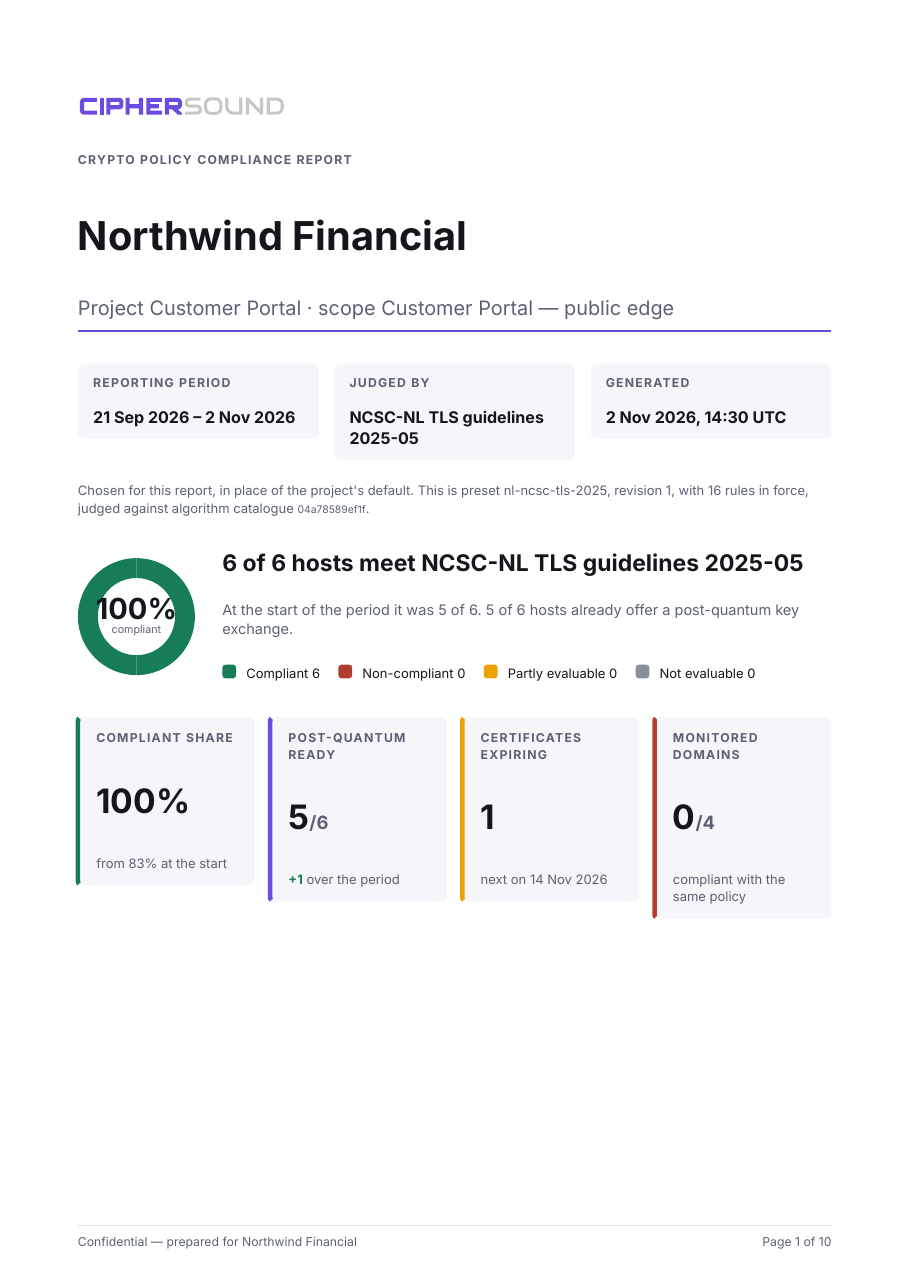
Pick the scopes, a period (7, 30 or 90 days, or your own) and the policy to judge by, then choose the sections you need:
- Summary and compliance over time
- Findings by rule, and the hosts behind them
- Certificates, soonest to expire first
- Algorithms in use, post-quantum key exchange marked
- Public endpoints and an appendix of rules, scopes and scans
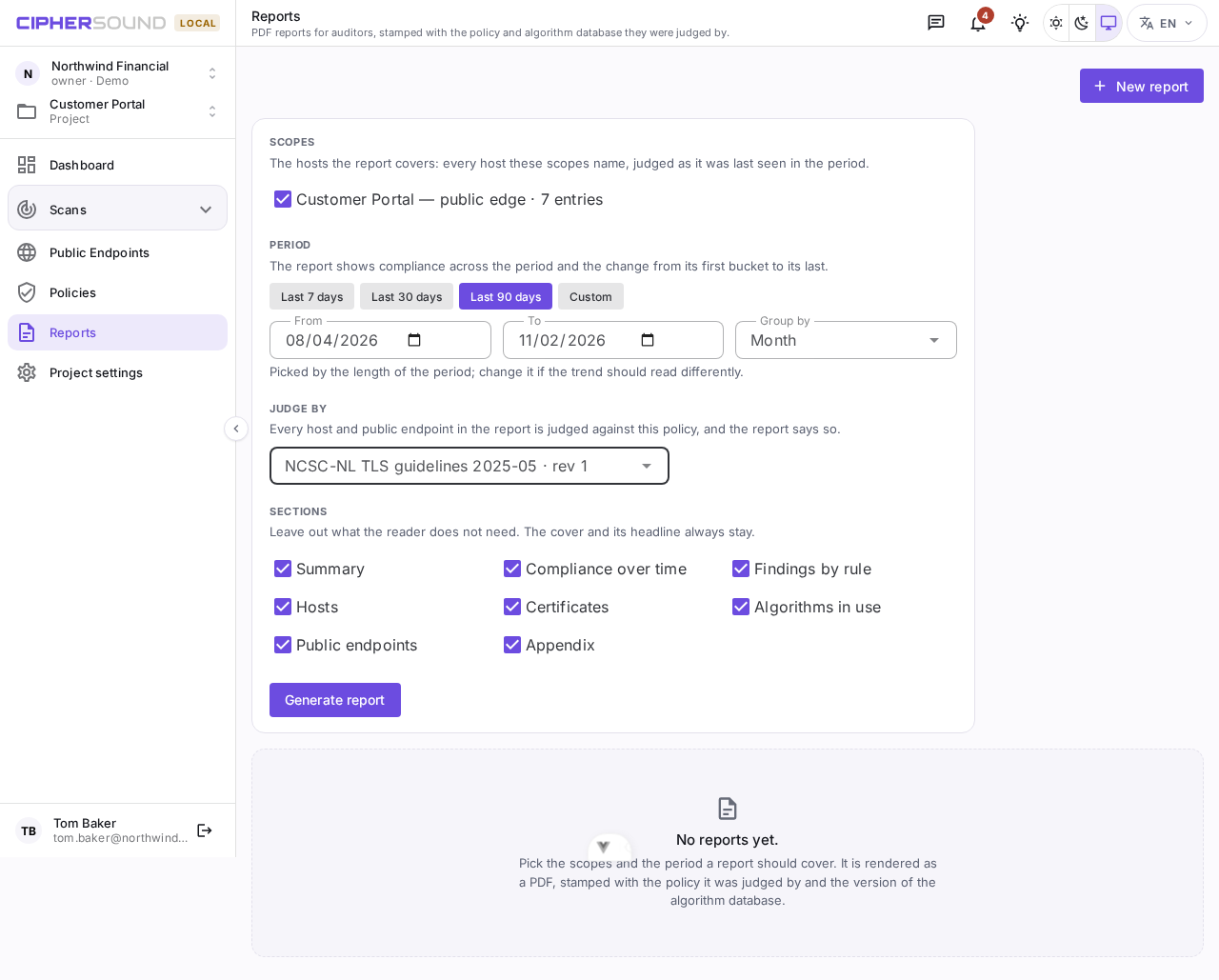
Press Generate report and download the PDF from the list when it is ready. Reports are on every plan; Free includes five a month. This is the first phase and we are still shaping it: tell us which page you forwarded and which one you skipped.
Scan recipes for improved reliability
A recipe is one file that holds every setting of a scan. This makes scan results more consistent, instead of building the command line for the scanner by hand time and time again. You can use the application to build the scopes and probes that your selected policy needs, then scan your infrastructure consistently by supplying the recipe wherever the CLI runs. The results say which recipe they came from, so a scan is repeatable and a report is traceable.
ciphersound run recipe.json           # a downloaded recipe
ciphersound run --from-app <recipe-id>  # fetched from the app; it lists its targets and asks first
Already have a flag set you trust? ciphersound scan ... --emit-recipe writes it down as a recipe.
Try it
All of this is available now. Create a free account and run your first scan. If you would like a walkthrough, book a demo. For questions, ideas or anything you would like to see next, reach out to us.